LINEMAN APPS
Field-ready · iOS & Android

Apps Created By a Lineman. For Linemen and Apprentices.

Real Training Labs you can run from the cab. One-time purchase — no subscription.

Two Apps XFMR Lab $12.99 URD $9.99 No Subscription
Award-winning · 2022 International Lineman's Rodeo · Kansas City Training Systems — 1st Place · Top Tools of the Trade — 2nd Place
XFMR Lab app icon

XFMR Lab

Get unlimited reps wiring banks without needing a transformer or training yard. Used by thousands of hands.

4.1  / 127 ratings Price $12.99 · One-Time, No Subscription
Download on the App Store Get it on Google Play Details
Wire single-phase pots and three-phase banks
Live voltage readings on every connection
Fully offline — no signal needed and no user-data collected
Over 13 labs
Customizable quizzes
Quick-reference diagrams
Wiring View
Vector Wheel
Scenarios
★★★★★

Loading reviews…

Fetching the latest verified reviews from the App Store.

App Store
★★★★★

Loading reviews…

Fetching the latest verified reviews from the App Store.

App Store
★★★★★

Loading reviews…

Fetching the latest verified reviews from the App Store.

App Store
URD app icon

URD

Underground distribution made hands-on. Switching, troubleshooting, and the scenarios we actually see in the field.

4.5  / 51 ratings Price $9.99 · One-Time, No Subscription
Download on the App Store Get it on Google Play Details
Hotsticks & tools — shotgun, phasing sticks, hipot adaptor, feed-thrus
Troubleshoot & identify faulted cable sections and bad transformers
Isolate, ground, and change out a bad single-phase padmount transformer
Learn to use fault indicators or a hi-potter to troubleshoot URD outages
Field-realistic interactions
Beginner, Medium & Advanced options help you step up your game
URD app screenshot — pad-mounted transformer interior with primary bushings H1A H2A H3A and secondary X0 X1 X2 X3, live voltage readouts (120V phase-to-neutral, 208V phase-to-phase). Hands-on lineman training.
URD app screenshot — Primary Training lab menu: Fault Indicators, Cable Isolation, Hipotting, XFMR Isolation. Underground distribution lineman training modules.
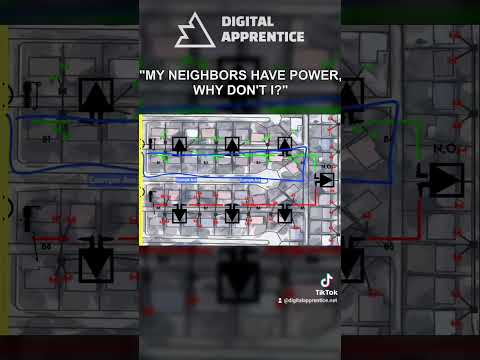
URD app screenshot — color-coded underground distribution switching map with energized loops, transformer locations, and normally open (N.O.) tie points for cable isolation training.
★★★★★

Loading reviews…

Fetching the latest verified reviews from the App Store.

App Store
★★★★★

Loading reviews…

Fetching the latest verified reviews from the App Store.

App Store
★★★★★

Loading reviews…

Fetching the latest verified reviews from the App Store.

App Store

Lineman Apps Built by a Lineman.

I'm Trent Carlock — a journeyman lineman who still runs a bucket every day. I built these apps from nearly a decade of troubleshooting, constructing, and maintaining overhead and underground distribution lines.

XFMR Lab is the only pocket-sized transformer lab simulator available to anyone in the industry, teaching single XFMR wiring, open and closed banking, paralleling, and plenty of other misc/adv labs. Quiz yourself and your crew on common transformer knowledge, or niche situations.

URD jump-starts underground apprentices. From explaining the basics of underground loops, to normally open and normally closed switch positions, to hi-potting and isolating faulted cable sections, Lineman's Reference - URD takes potentially-confusing concepts and procedures and turns them into clear, digestible labs that a first-day hand can complete.

Thousands of Apprentices use these apps to study and practice before stepping up to energized situations. Thousands of Linemen use them as quick field references when they hit a situation they haven't seen in a while. Apprenticeship programs and power companies use these apps to train their employees and often install them on company-provided phones and tablets.

These aren't calculator/diagram apps — they're fully interactive apps that require you to manually wire banks, pull elbows, check voltage, open/close/blow fuses, and restore power to customers. A calculator gives you a number. These apps teach you how and why.

Recognized at

2022 International Lineman's Rodeo · Kansas City 1st Place — Training Systems 2nd Place — Top Tools of the Trade

Common Questions.

Do the apps work offline?
Yes. Once installed, everything runs locally on the device. No signal on site? No problem.
One-time purchase or subscription?
One-time purchase, full stop. Pay once, own it. No monthly fee, no annual renewal, no in-app paywalls. Updates are included.
What if I get a new phone?
Sign in with the same Apple ID or Google account on your new device and re-download free — your purchase is tied to your account, not the hardware. Switching platforms (iOS ↔ Android) means buying again — the two stores don't share purchases.
Is this just a kVA calculator or transformer sizing app?
No. XFMR Lab is a full transformer banking simulator. The kVA math, standard transformer sizes, and primary/secondary voltage tables are baked in for reference, but you don't compute on a slider — you wire the bank, energize it, and verify with live voltage, ohm, and rotation meter readings. Single-phase pots, three-phase banks, open and closed deltas and wyes, customizable quizzes, troubleshooting scenarios. Calculator apps give you a number. XFMR Lab teaches you why that number is what it is.
What's the difference between XFMR Lab and URD?
XFMR Lab covers Overhead Transformers — banking, voltage and rotation checks, safe work practices. URD covers Underground Residential Distribution — pad-mounts, switching, cable isolation, hi-potting, and the troubleshooting scenarios you actually see in the field. URD secondary troubleshooting is coming soon.
Who built these apps?
I did. I'm Trent Carlock, a journeyman lineman who still runs a bucket. I build these apps under my company, Digital Apprentice LLC, and every scenario, every troubleshooting lab, and every niche situation comes straight from time on the job — not from a textbook or a developer guessing at what the trade needs. Although admittedly I have read a textbook or 2.
Are they for apprentices or journeymen?
Both. Apprentices use them to run reps safely before stepping up to the live gear. Journeymen use them as a quick field reference when they hit a configuration they haven't worked in a while.

Digital Apprentice LLC · est. 2021